

Shopify
Install ax402 on a Shopify theme — app embeds, the cart checkout block, and agents.md.
Install the ax402 theme pieces on the storefront theme (Spotlight in these screenshots). Native Shopify Checkout stays in place. Shoppers get a second button, Checkout with Ax402, that pays on-chain.
The public app origin for this install is https://shopify.ax402.io (no trailing slash). Use that value in every origin field below.
Before the theme steps, the app has to be installed on the shop, and Connection needs an API key, a settlement wallet, and the accepted payment tokens.
App embeds
Online Store → Themes → Customize, then the puzzle icon on the left rail (App embeds).
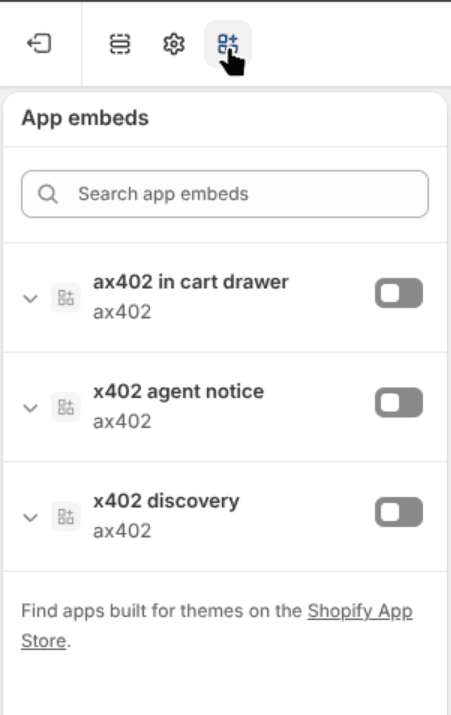
Turn all three switches on, then Save.
| Embed | What it does |
|---|---|
| ax402 in cart drawer | Checkout with Ax402 inside the cart drawer, and under Buy it now on the product page. |
| x402 agent notice | A folded x402 line at the bottom of every page. Open it for the payment URLs. The same URLs stay in the HTML while it is closed. |
| x402 discovery | Discovery hints in the page <head> for agents. |
Open each embed and set ax402 app origin to https://shopify.ax402.io.
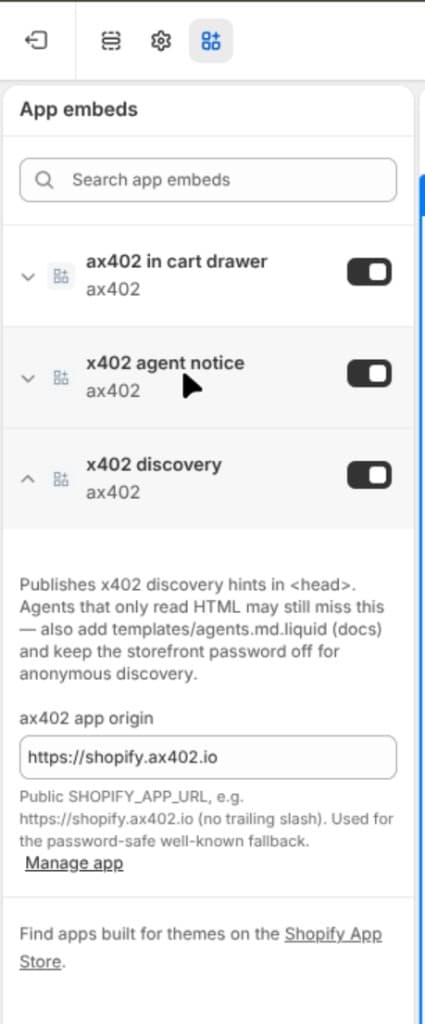
The gray line under the field is an example. The value in the box is what the storefront uses.
Cart checkout block
The drawer embed does not add a button on the cart page. Add the cart block as well.
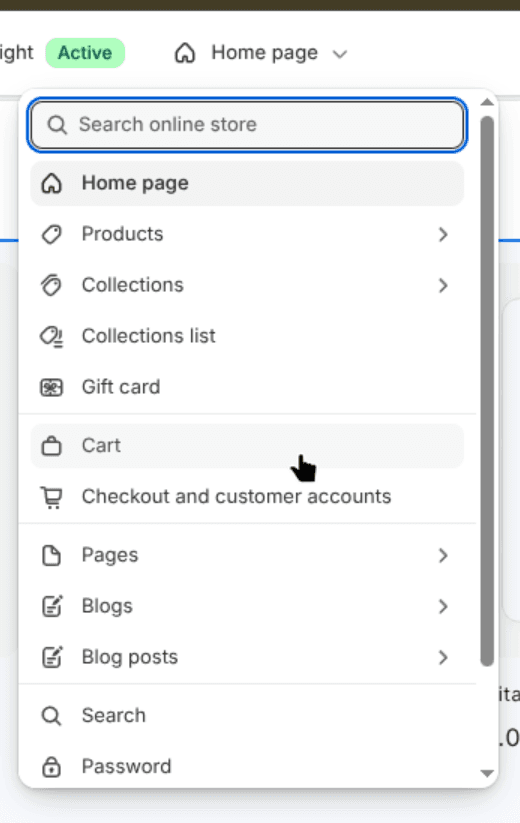
- In the theme editor, open the page picker and choose Cart.
- In the left sidebar, under Template, open Apps → Add block → Apps → ax402 checkout.
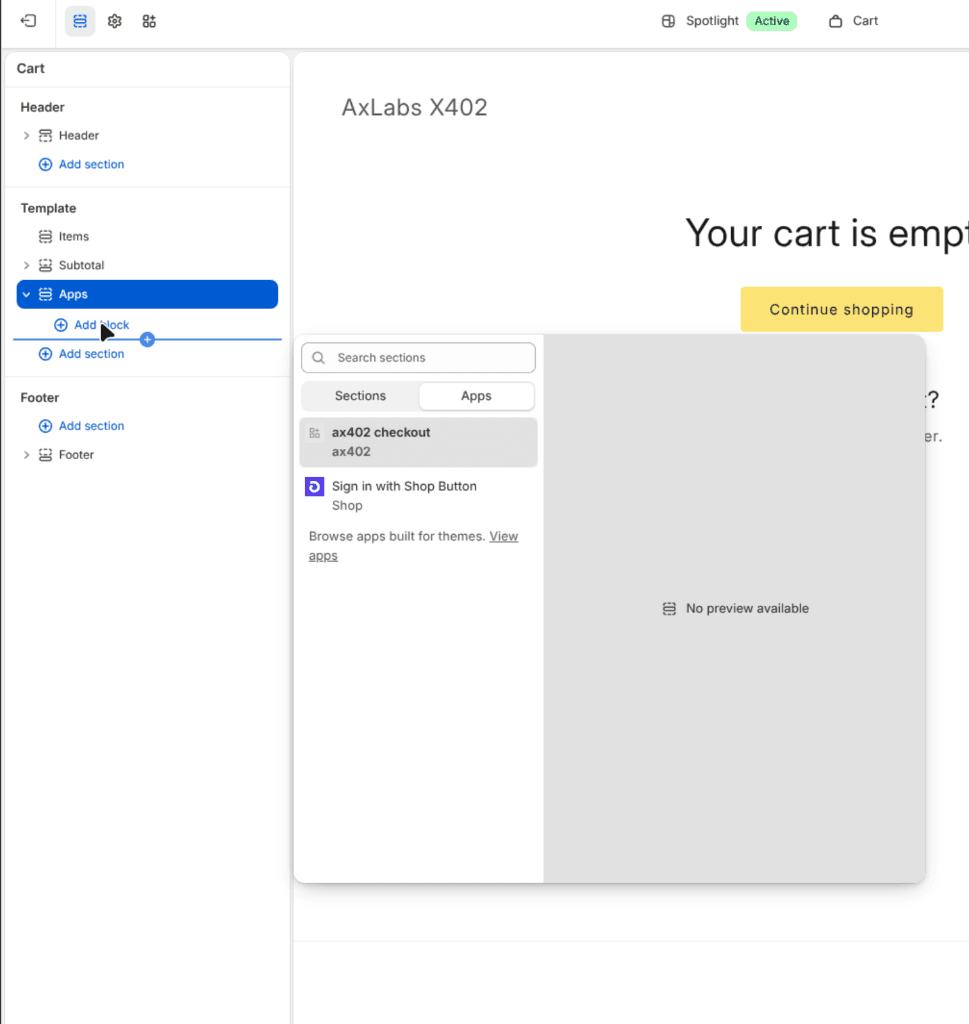
- Set ax402 app origin to
https://shopify.ax402.ioand Save.
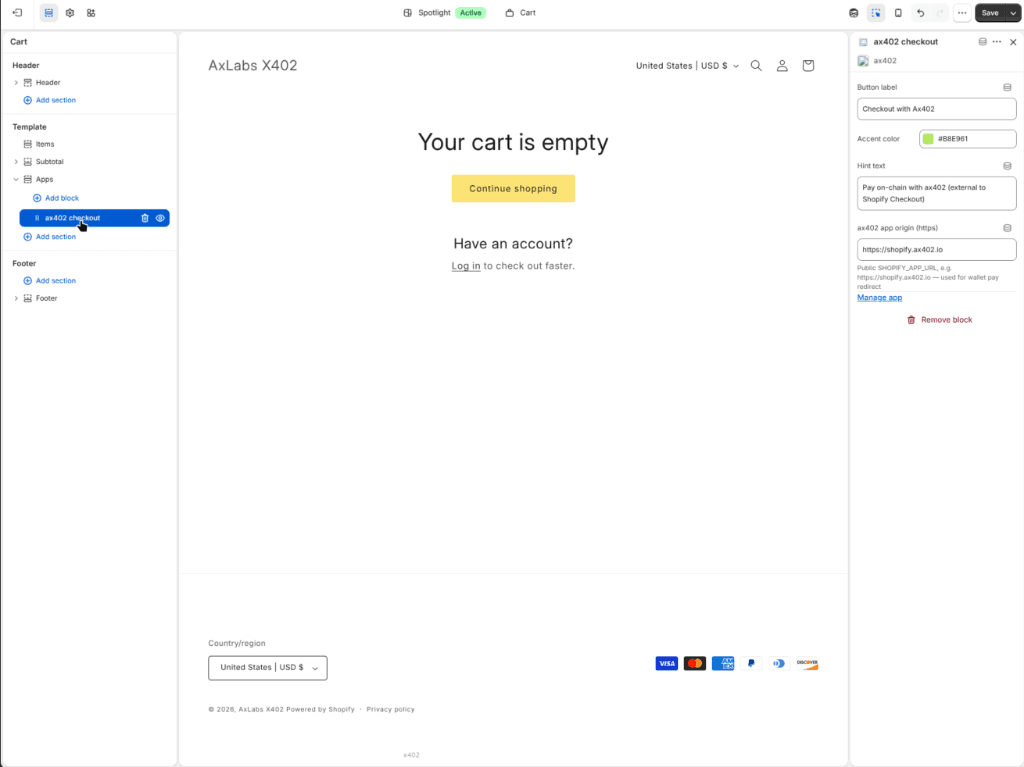
Keep a single ax402 checkout block on the cart template. If two exist, the button uses the first one on the page. Remove the extra block.
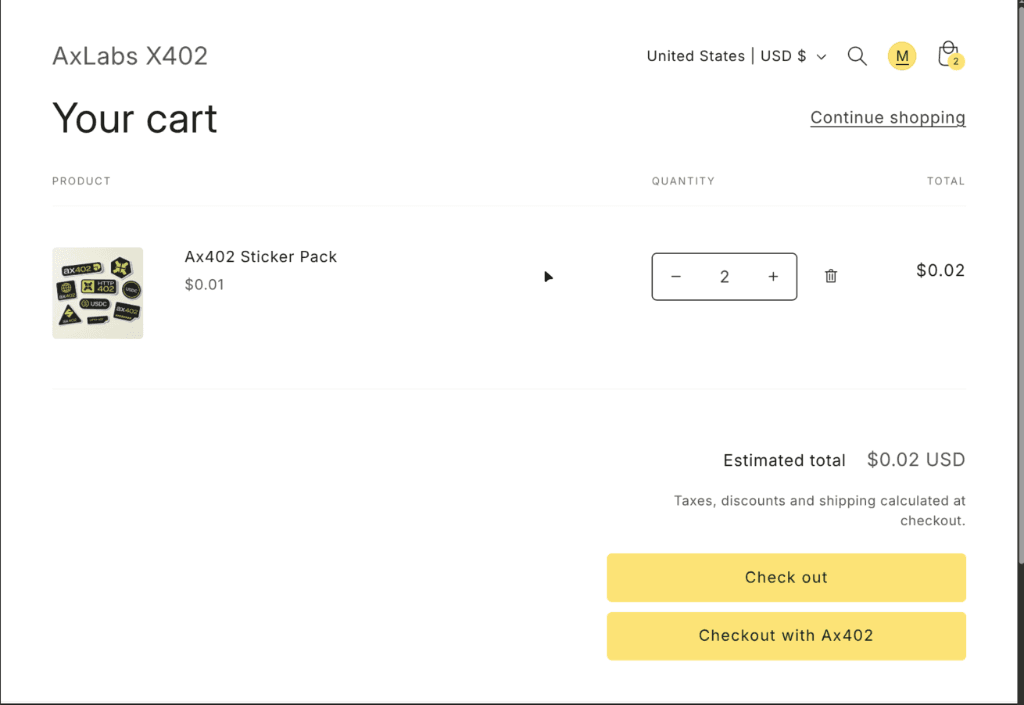
An empty cart does not show the button. Add a product, then open the cart. Checkout with Ax402 sits under the theme Check out button.
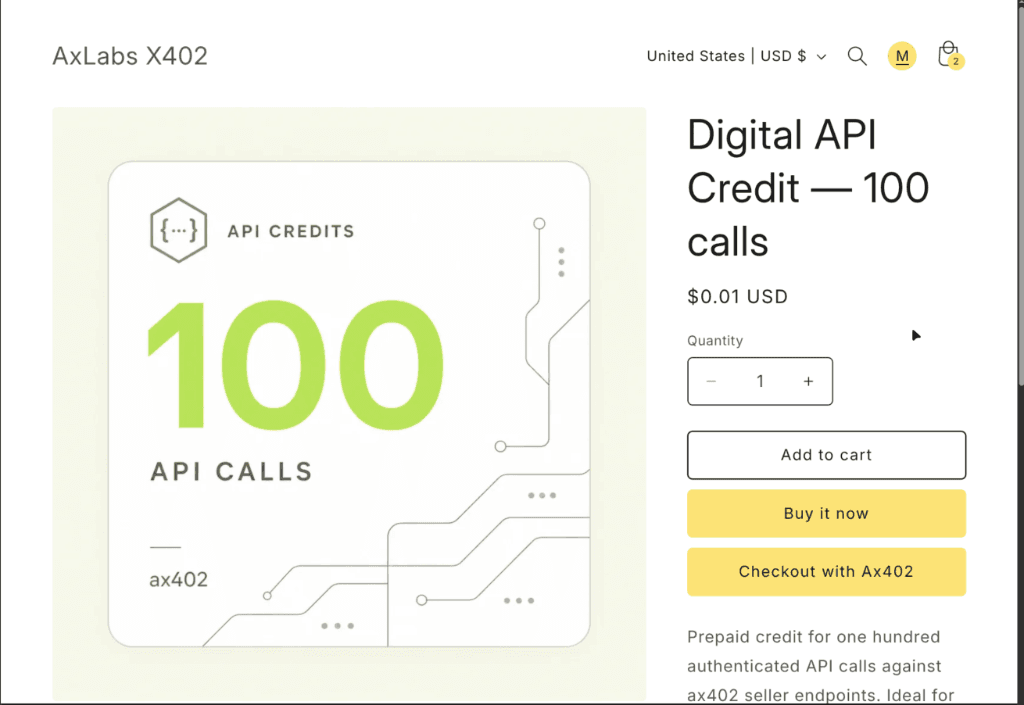
On a product page, the same label sits under Buy it now. That button checks out the selected variant. It appears only when ax402 in cart drawer is enabled.
These buttons are not under Checkout and customer accounts in the page picker. That editor is Shopify's own checkout.
agents.md
Shopify already serves /agents.md. A theme file named agents.md.liquid adds the x402 section. Create it in the browser theme editor. The VS Code theme extension often rejects this filename.
- Online Store → Themes → … → Edit code.
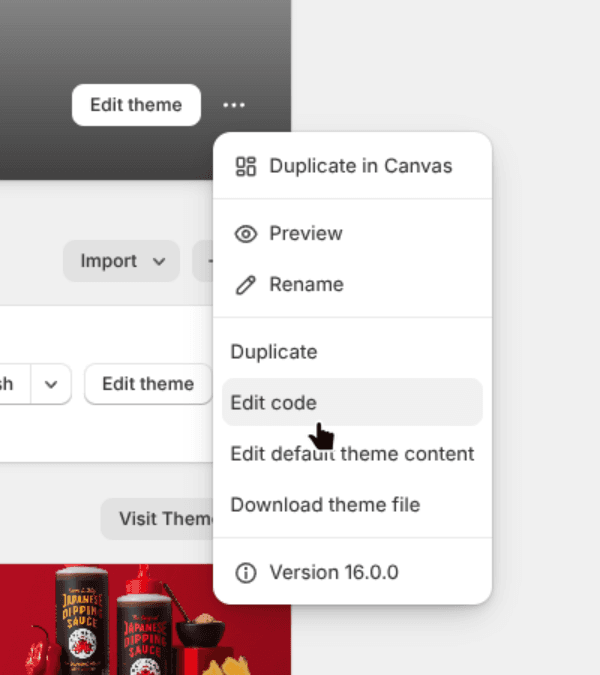
- In the file tree, right-click templates → New File.
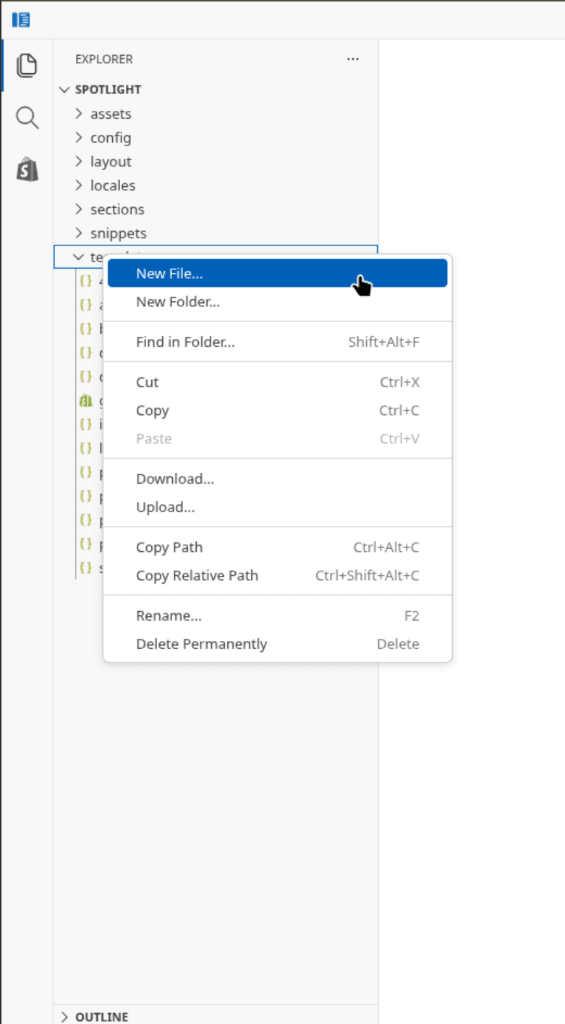
- Name the file exactly
agents.md.liquid. Paste the template below and Save.
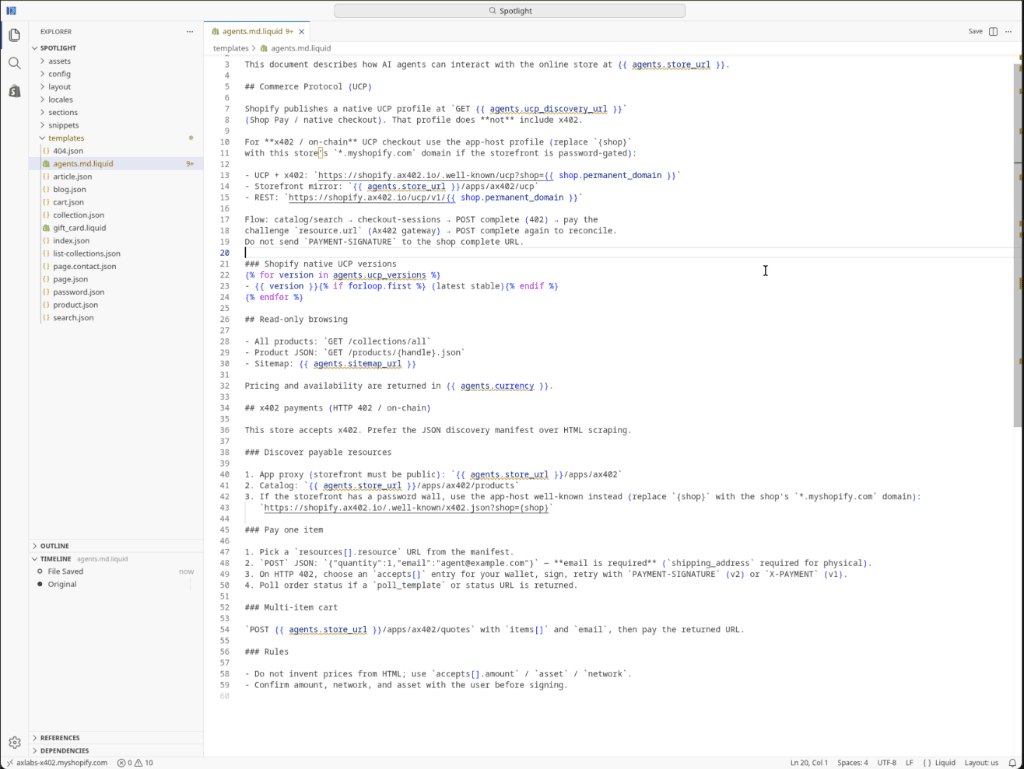
# Agent Instructions — {{ agents.store_name }}

This document describes how AI agents can interact with the online store at {{ agents.store_url }}.

## Commerce Protocol (UCP)

Shopify publishes a native UCP profile at `GET {{ agents.ucp_discovery_url }}`
(Shop Pay / native checkout). That profile does **not** include x402.

For **x402 / on-chain** UCP checkout use the app-host profile (replace `{shop}`
with this store’s `*.myshopify.com` domain if the storefront is password-gated):

- UCP + x402: `https://shopify.ax402.io/.well-known/ucp?shop={{ shop.permanent_domain }}`
- Storefront mirror: `{{ agents.store_url }}/apps/ax402/ucp`
- REST: `https://shopify.ax402.io/ucp/v1/{{ shop.permanent_domain }}`

Flow: catalog/search → checkout-sessions → POST complete (402) → pay the
challenge `resource.url` (Ax402 gateway) → POST complete again to reconcile.
Do not send `PAYMENT-SIGNATURE` to the shop complete URL.

### Shopify native UCP versions
{% for version in agents.ucp_versions %}
- {{ version }}{% if forloop.first %} (latest stable){% endif %}
{% endfor %}

## Read-only browsing

- All products: `GET /collections/all`
- Product JSON: `GET /products/{handle}.json`
- Sitemap: {{ agents.sitemap_url }}

Pricing and availability are returned in {{ agents.currency }}.

## x402 payments (HTTP 402 / on-chain)

This store accepts x402. Prefer the JSON discovery manifest over HTML scraping.

### Discover payable resources

1. App proxy (storefront must be public): `{{ agents.store_url }}/apps/ax402`
2. Catalog: `{{ agents.store_url }}/apps/ax402/products`
3. If the storefront has a password wall, use the app-host well-known instead (replace `{shop}` with the shop's `*.myshopify.com` domain):
   `https://shopify.ax402.io/.well-known/x402.json?shop={shop}`

### Pay one item

1. Pick a `resources[].resource` URL from the manifest.
2. `POST` JSON: `{"quantity":1,"email":"agent@example.com"}` — **email is required** (`shipping_address` required for physical).
3. On HTTP 402, choose an `accepts[]` entry for your wallet, sign, retry with `PAYMENT-SIGNATURE` (v2) or `X-PAYMENT` (v1).
4. Poll order status if a `poll_template` or status URL is returned.

### Multi-item cart

`POST {{ agents.store_url }}/apps/ax402/quotes` with `items[]` and `email`, then pay the returned URL.

### Rules

- Do not invent prices from HTML; use `accepts[].amount` / `asset` / `network`.
- Confirm amount, network, and asset with the user before signing.
The store then serves the x402 instructions at /agents.md. Agents should use the JSON manifest from that page, not prices scraped from HTML.